Please oh please just try it with a dithered image instead of a pure threshold binary choice. Dithering is well accepted as a necessity when downgrading image pixel space for a lot of good reasons and might actually result in some solvable images.
Error diffusion dithering would work very well as initial conditions for many cellular automata rules like Life, especially counting rules (which life is) that stay alive with intermediate numbers of neighbors.
Conway's Life stays alive with 2 or 3 neighbors out of 9, or 2/9 .. 3/9, so gray scales between 22% .. 33% would be the most active.
Halftone screens would have different results, but their regularity might work well with certain CA rules and screens.
PostScript gives you a lot of control over the halftone screen definition.
Halftone screens can use any kind of repeating pattern, there just has to be the proper ratio of white to black pixels to make it look the right brightness. You could even design a set of halftone screen patterns that were precisely matched with a particular cellular automata rule to produce interesting fertile or static patterns. And you can even use any arbitrary pattern for each level, even if they aren't the right brightness, for aesthetic reasons.
The original PostScript LaserWriter was able to efficiently perform pattern fills to print tiled MacDraw images, by defining a custom halftone screen for each tile pixel pattern, that printed precisely the right pixels when you set just the right gray level: the ratio of on pixels to the total number of pixels in the tile. The spot function basically tells the halftone screen machinery what order to turn the dots on as the gray level goes from 1 to 0 (which results is seamless tiling with nearby gray tiles). Take a look at the PostScript header of an old MacDraw file some time to see the really bizarre code that does that by abusing the "setscreen" operator with a contrived spot function. (That was extremely tricky and gave GhostScript problems for years. The trick is documented in Program 15 page 193 of the awesome PostScript "Blue Book", and it uses a lot of memory! It's one of the coolest tricky PostScript hacks I've ever seen!)
>This program demonstrates how to fill an area with a
bitmap pattern using the POSTSCRIPT halftone screen
machinery. The setscreen operator is intended for
halftones and a reasonable default screen is provided by
each POSTSCRIPT implementation. It can also be used for
repeating patterns but the device dependent nature of the
setscreen operator can produce different results on
different printers. As a solution to this problem the
procedure, ‘‘setuserscreen,’’ is defined to provide a
device independent interface to the device dependent
setscreen operator.
>IMPLEMENTATION NOTE: Creating low frequency
screens (below 60 lines per inch in device space) may
require a great deal of memory. On printing devices
with limited memory, a limitcheck error occurs when
storage is exceeded. To avoid this error, it is best to
minimize memory use by specifying a repeating pattern
that is a multiple of 16 bits wide (in the device
x-direction) and a screen angle of zero
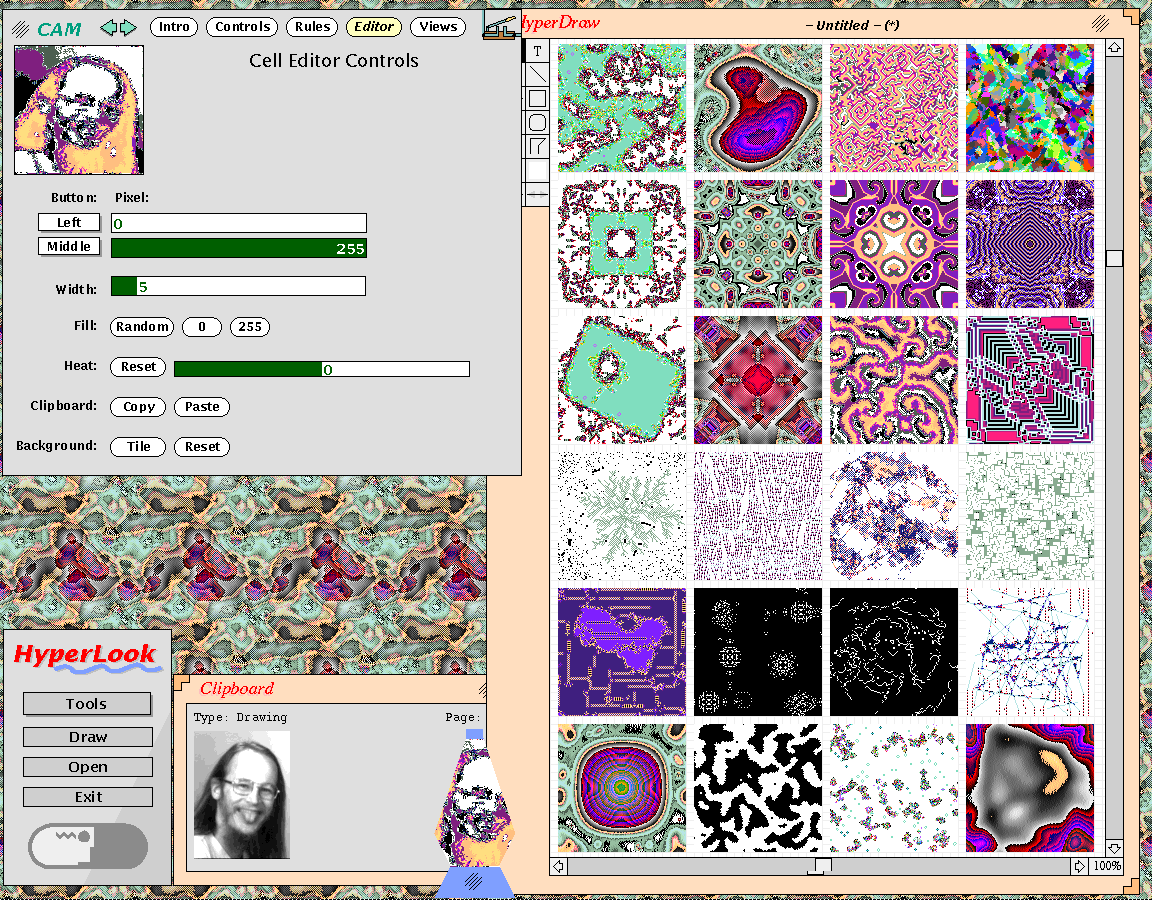
This shows the HyperLook CAM6 interface, which is great for generating tiled screen backgrounds, and a Lava Lamp window I made by copying and pasting the live cellular automata component into a Lava Lamp HyperLook stack whose shape I made with the drawing editor. And the PostScript drawing editor with a bunch of snapshots of different CA rules I copied and pasted out of the simulator. And he's no Mona Lisa, but it also shows the results of applying a cellular automata rule to John Gilmore's cheeky face.
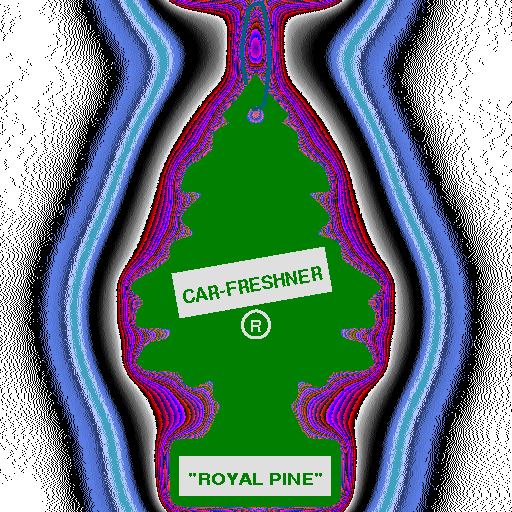
I made this one by pasting a PostScript drawing of a Royal Pine air freshener into a hybrid cellular automata / error diffusion dithering rule, which made nice stink lines, then running it for a while, then pasting the Royal Pine drawing back in on top. That one wraps around so it makes a great screen background too!
Demonstration of SimCity running under the HyperLook user interface development system, based on NeWS PostScript, running on a SPARCstation 2. Includes a demonstration of editing HyperLook graphics and user interfaces, the HyperLook Cellular Automata Machine, and the HyperLook Happy Tool. Also shows The NeWS Toolkit applications PizzaTool and RasterRap. HyperLook developed by Arthur van Hoff and Don Hopkins at the Turing Institute. SimCity ported to Unix and HyperLook by Don Hopkins. HyperLook Cellular Automata Machine, Happy Tool, The NeWS Toolkit, PizzaTool and Raster Rap developed by Don Hopkins. Demonstration, transcript and close captioning by Don Hopkins. Camera and interview by Abbe Don. Taped at the San Francisco Exploratorium.